
Google Just Won
7 mind-blowing Nana Banana 2 prompts

I’ll be honest with you.
When Google first dropped Nano Banana inside Gemini, I played with it for about 20 minutes and thought, and knew it was a top image model
Then I actually leaned in.
I started using it for real content. LinkedIn posts. Newsletters and something shifted. The gap between ‘AI-generated’ and ‘looks like a professional photographer shot this’ got very, very small.
Now Nano Banana 2 is out. And it’s not just an upgrade, it’s a different category of tool.
Here’s what’s new, what it can actually do, and the exact prompts I’d use to try each feature right now.
1. Google Nana Banana — The Foundation
Before we get into version 2, let’s talk about what made the original Nano Banana special in the first place.
It’s baked directly into Google Gemini. No separate app, no extra subscription (if you’re already on the ecosystem). You type a prompt, you get a genuinely good image back.
For content creators who live in Google’s world Docs, Drive, Gmail this was the first AI image tool that actually fit into the workflow and was actually great.
That’s the baseline. Version 2 takes everything from there and adds capabilities that honestly feel like they should still be a year away.
2. Combine Images: Dress Yourself in Any Outfit, Anywhere
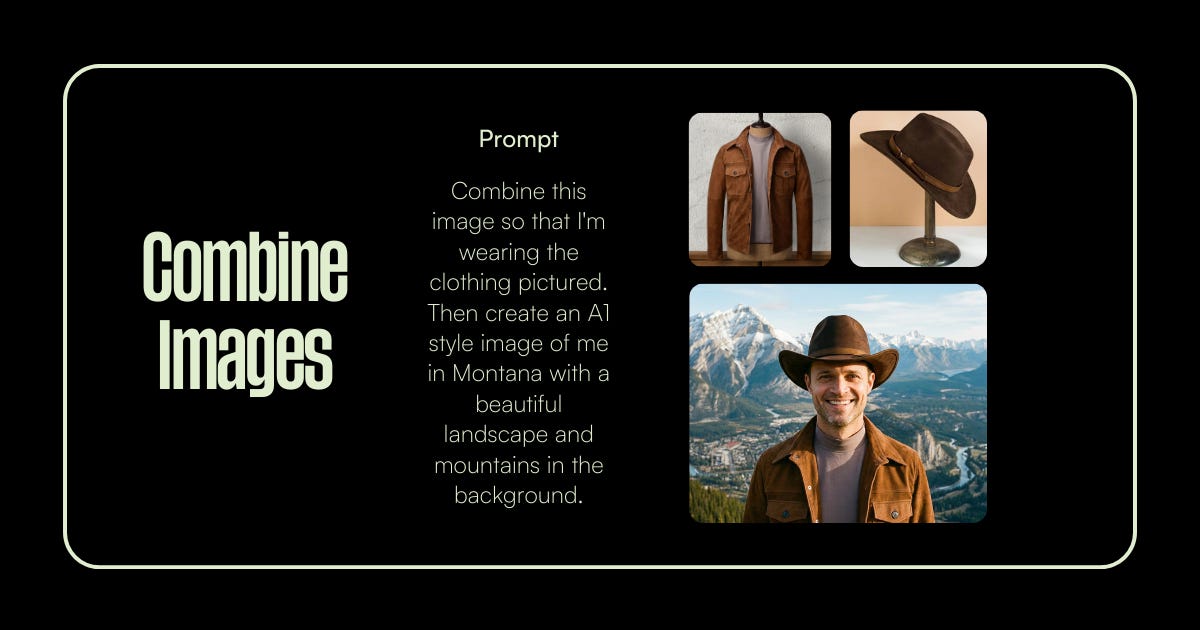
This is the one that made me stop scrolling.
You can take a photo of yourself, a photo of an outfit, and ask Nano Banana to put you in that outfit. Then it drops you into a completely different environment — mountains, city, a studio, wherever, and renders at high quality.
For personal branding? This is massive. You can create a consistent library of profile images and content visuals without a photographer, a wardrobe team, or a flight to Montana.
The key is being specific in your prompt. Vague prompts give you vague results. Treat it like you’re briefing a creative director.
✦ TRY THIS PROMPT
“I’m attaching two images: one photo of me and one photo of [a brown leather jacket + cowboy hat]. Combine them
so I’m wearing both items. Then place me in a Montana landscape at golden hour — dramatic mountain peaks, valley
below, late afternoon light. Portrait orientation 1350x1080px. Cinematic, photorealistic, AI1 portrait quality.
Keep my face exactly as it appears in my photo.”
3. Create Objects: Turn Memories Into Collectibles
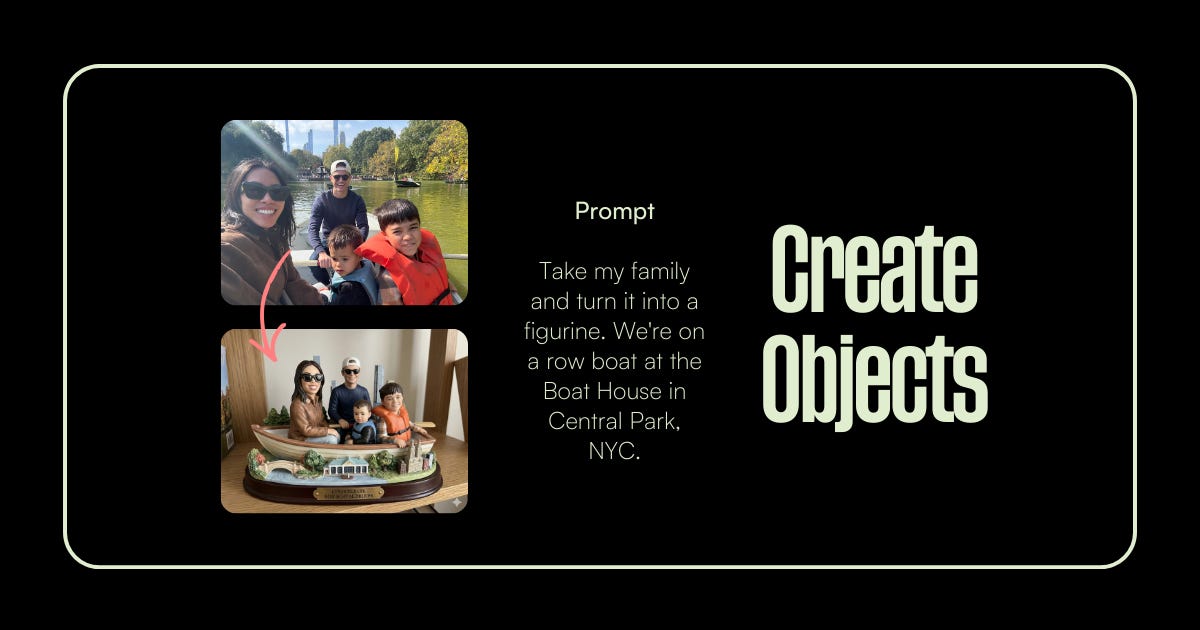
I wasn’t expecting this one to hit the way it did.
You upload a photo, could be your family, your team, a moment that mattered — and ask Nano Banana to turn it into a physical object. A figurine. A snow globe. A miniature scene.
The output looks like something you’d actually find in a gift shop. Which means it’s not just a novelty, it’s shareable content that people actually stop on.
For coaches, founders, and anyone building a personal brand around real human moments, this is a way to make your content feel warm and specific without it being another carousel or talking-head video.
✦ TRY THIS PROMPT
“I’m attaching a photo of [my team at our offsite]. Transform this into a detailed ceramic figurine set,
mounted on a wooden base with a gold nameplate that reads ‘[Company Name] 2026 Offsite’. Place the figurines
in a miniature version of [the location]. Warm studio lighting, realistic texture, product photography style.
1350x1080px horizontal.”
4. Facial Consistency: One Face, Infinite Variations
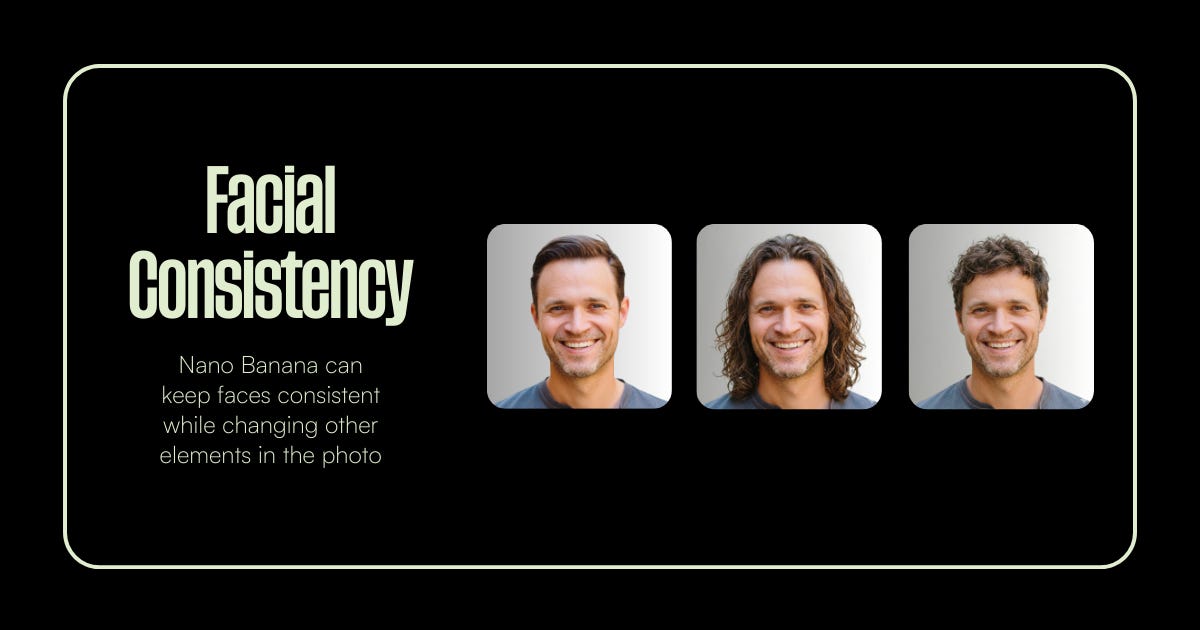
This is the feature that turns Nano Banana from a toy into a production tool.
Consistency has always been the Achilles heel of AI image generation. You’d get a great image of ‘a person’ and then try to generate that same person in a different setting, and suddenly it’s a different human being.
Nano Banana 2 solves this. You can keep a face locked while changing everything else: the hair, the background, the lighting, the vibe. Same person. Different world.
If you’re building a content series, think a 10-part LinkedIn carousel where the same character appears in different scenes, this is the feature that makes it possible without hiring an illustrator or a photographer for each episode.
✦ TRY THIS PROMPT
“Using the face from the attached reference photo, generate three variations of the same person:
1) Short professional haircut, neutral gray background, clean studio lighting.
2) Long wavy hair, outdoor setting with soft natural light.
3) Curly hair, creative office environment, warm ambient light.
Keep the facial structure, bone structure, and identity identical across all three.
Portrait format, 1350x1080px each, photorealistic.”
5. Image Styles: Your Brand, Your Filter
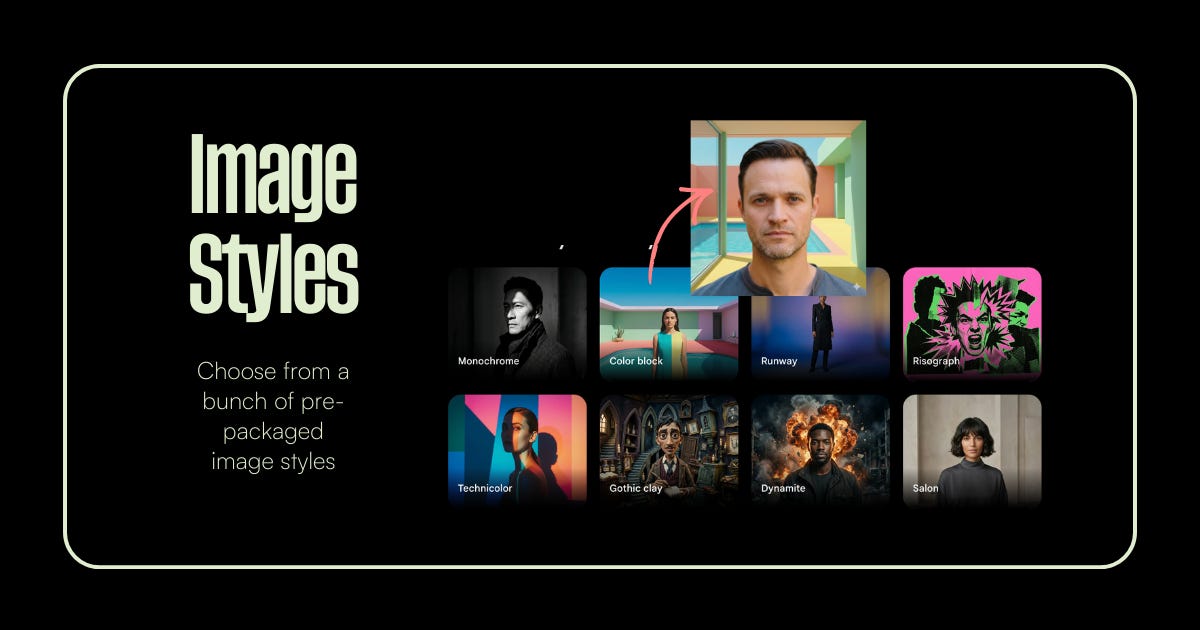
Not everyone wants photorealism. Some brands live in illustration. Some in brutalism. Some in that specific 70s technicolor vibe that’s everywhere on design Twitter right now.
Nano Banana 2 ships with a library of pre-packaged image styles — Monochrome, Color Block, Runway, Risograph, Technicolor, Gothic Clay, Dynamite, Salon. You pick the aesthetic and it applies it to your subject.
What I love about this for content creators is that it gives you a visual identity without having to know anything about design. You find the style that feels like your brand, and you use it consistently. Your feed starts to look like a feed instead of a random collection of images.
✦ TRY THIS PROMPT
“Create a 1350x1080px LinkedIn image using the Technicolor style. Subject: a professional woman sitting at a
modern desk, looking thoughtfully at a laptop. Bold color blocking — deep teal, warm orange, soft cream.
High contrast, slightly graphic, editorial magazine feel. No text in the image.”
6. Better Design — Logos and Creatives, Fast
This one is for the builders.
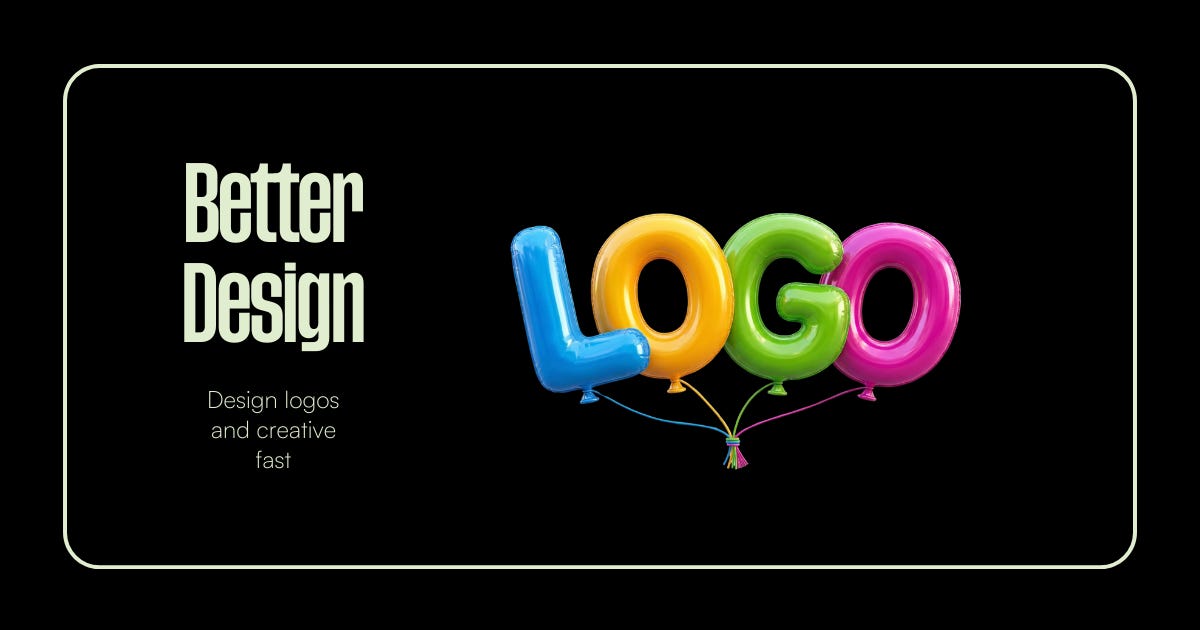
If you’ve ever tried to get AI to render readable text inside an image — actual words, spelled correctly, in a logo — you know the pain. It used to be unusable. Every letter was slightly off. Every word looked like it was generated by someone who learned the alphabet from a fever dream.
Nano Banana 2 fixed text rendering. You can now generate logos, promotional graphics, event headers, and branded creatives where the text is actually correct. Actually clean.
That’s not a small thing. That’s the difference between a tool you demo and a tool you actually use every day.
✦ TRY THIS PROMPT
“Design a logo for a personal brand called ‘[Your Name]’ with the tagline ‘[Your Tagline]’. Style: modern
and minimal, confident, slightly editorial. Use a bold serif or geometric sans-serif typeface.
Dark background with a cream or white logotype. No gradients. Clean vector aesthetic.
Output as a 1350x1080px horizontal image with the logo centered and generous white space.”
Amazing Selfies — Your Camera Roll, Upgraded
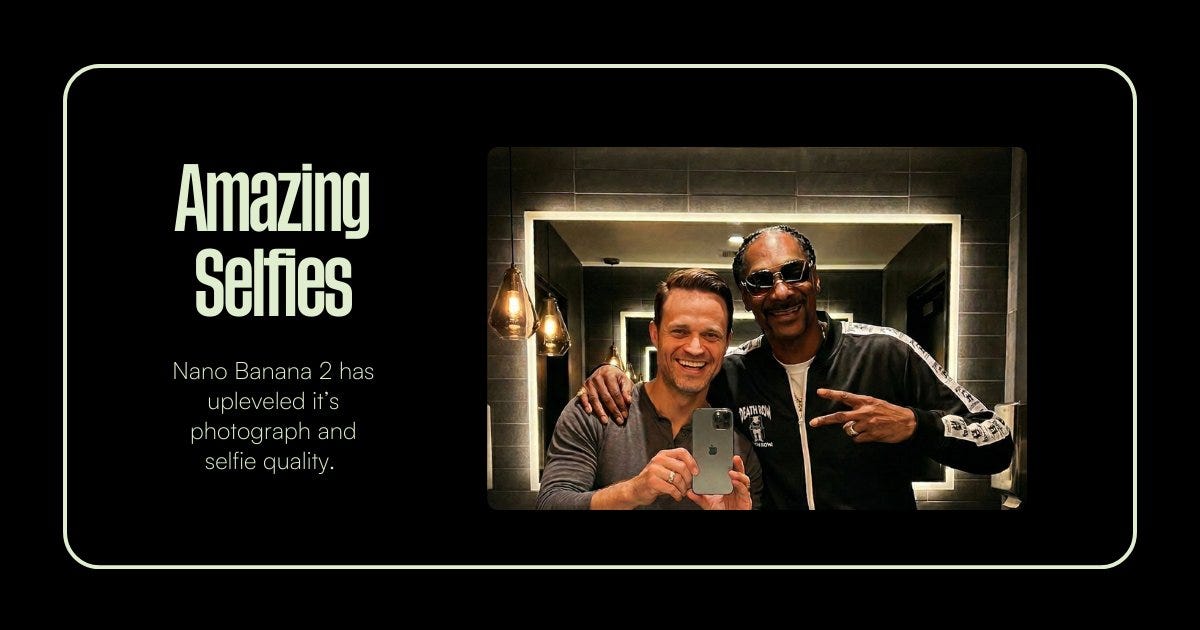
You no longer need a photographer.
With Nano Banana 2, you can generate realistic selfie images of yourself in different environments, lighting, and outfits.
Think of it like running a personal photoshoot from your laptop.
Upload a few reference photos so the model understands your face. Then ask it to generate new images.
Coffee shop. Podcast studio. Airplane seat. Conference stage. Sunset beach.
In minutes you can build an entire personal brand photo library.
The key is keeping the prompt simple and directing the scene, lighting, and expression.
✦ TRY THIS PROMPT
“Using the uploaded reference photos, generate a realistic iPhone-style selfie of the same person.
Natural daylight, soft lighting, shallow background blur. Relaxed confident expression.
Casual clothing. Modern interior background.
The image should look like a real selfie taken on a phone — natural, authentic, and not overly polished.”
The Bottom Line
AI image tools have been around long enough now that ‘AI-generated’ has become a category people can spot and sometimes dismiss.
What Nano Banana 2 does is close that gap. The outputs are getting good enough that the question shifts from ‘did AI make this?’ to ‘does this serve my content?’
That’s the right question. And the answer, more often than not, is yes.
Start with one feature. Pick the one that solves your most annoying production problem right now. Use it for a week. See what changes.
You don’t need to use all of it. You just need to stop sleeping on it.
— MJ