
3 Small Steps. Save Hours Prompting Claude
Aim it well on the first try, steer it when it’s off, and teach it once so you stop repeating yourself. No magic words. No 500-word prompts.

🟢 Beginner. If you finished issue 1, you’re ready. Missed it? Start there, this one builds on it.
Last week you sent your first real prompt and got something done. An email rewritten, a PDF cracked open, an afternoon planned. That was the point: prove it works.
This week we make it land every time.
The gap between people who think AI is “meh” and people who swear by it comes down to the ask. Same Claude, same screen. One person types six words and gets mush. The other knows three small steps and gets back something they’d have paid a freelancer for.
Those three steps are the whole issue, and they go in order:
Aim it so you land it on the first try, without writing an essay.
Steer it when the first answer is close but not quite.
Teach it once, so it remembers and you stop repeating yourself.
No jargon, no “prompt engineering.” You’ll learn to say what you actually mean, then how to stop saying it twice.
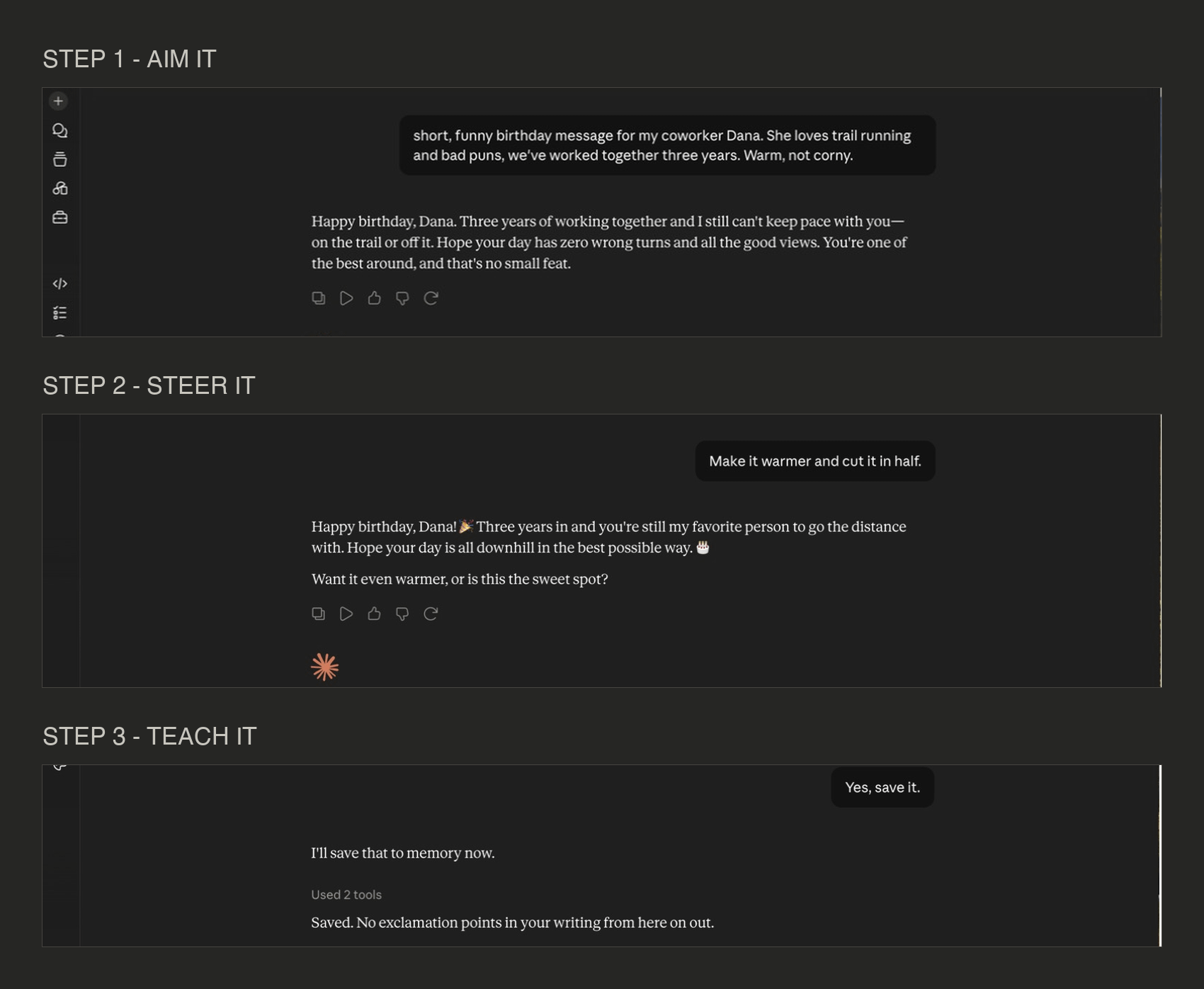
The whole issue in one image: aim it, steer it, teach it.
Last Week’s Homework
Quick callback. Your job last week was to grab something real off your plate, send one prompt, then send one follow-up to fix it.
If you did it, you already used step number two without me telling you: you didn’t start over, you nudged. Hold that thought. It’s the spine of this whole issue.
If you skipped it, no judgment. You’ll do it now, because everything below is hands-on.
The One Mental Shift
Before the steps, the mindset they all come from. Get this and the rest is obvious.
Stop searching. Start briefing.
Most of us learned computers through Google. Type the fewest words possible, hope the machine guesses the rest. Two decades of training your brain to be terse. “flights paris cheap.” “chicken recipe easy.”
Claude is the opposite: a smart assistant waiting for instructions. And you’d never brief a real assistant in three words. You’d tell them what you need, who it’s for, and what “good” looks like. That’s all a great prompt is: a good brief.
So the upgrade is just saying more of what’s already in your head. You already know who the email is for and how you want it to feel. You’re just used to not bothering to type it. Start bothering. That’s most of the battle.
Step 1: Land It on the First Try (Without Writing an Essay)
Here’s the trap people fall into once they hear “add more context”: they write a 500-word prompt with their whole life story, and the answer gets worse, because the one detail that mattered is buried on line 14.
The goal is the right four or five things, and nothing else. Front-load the handful of facts that remove the guesswork, then stop typing.
Here are the levers. Pull the two or three that matter for your task and skip the rest.
Context that counts: who, what, good
The single biggest one. Claude can’t see your life, so it guesses generic unless you tell it three things:
Who is this for? Your boss, a client, a five-year-old, yourself at 6am.
What’s the situation? The one or two facts Claude would need to not say something dumb.
What does “good” look like? Short and punchy, warm, formal, funny, blunt.
Watch it work. Same task, different ask:
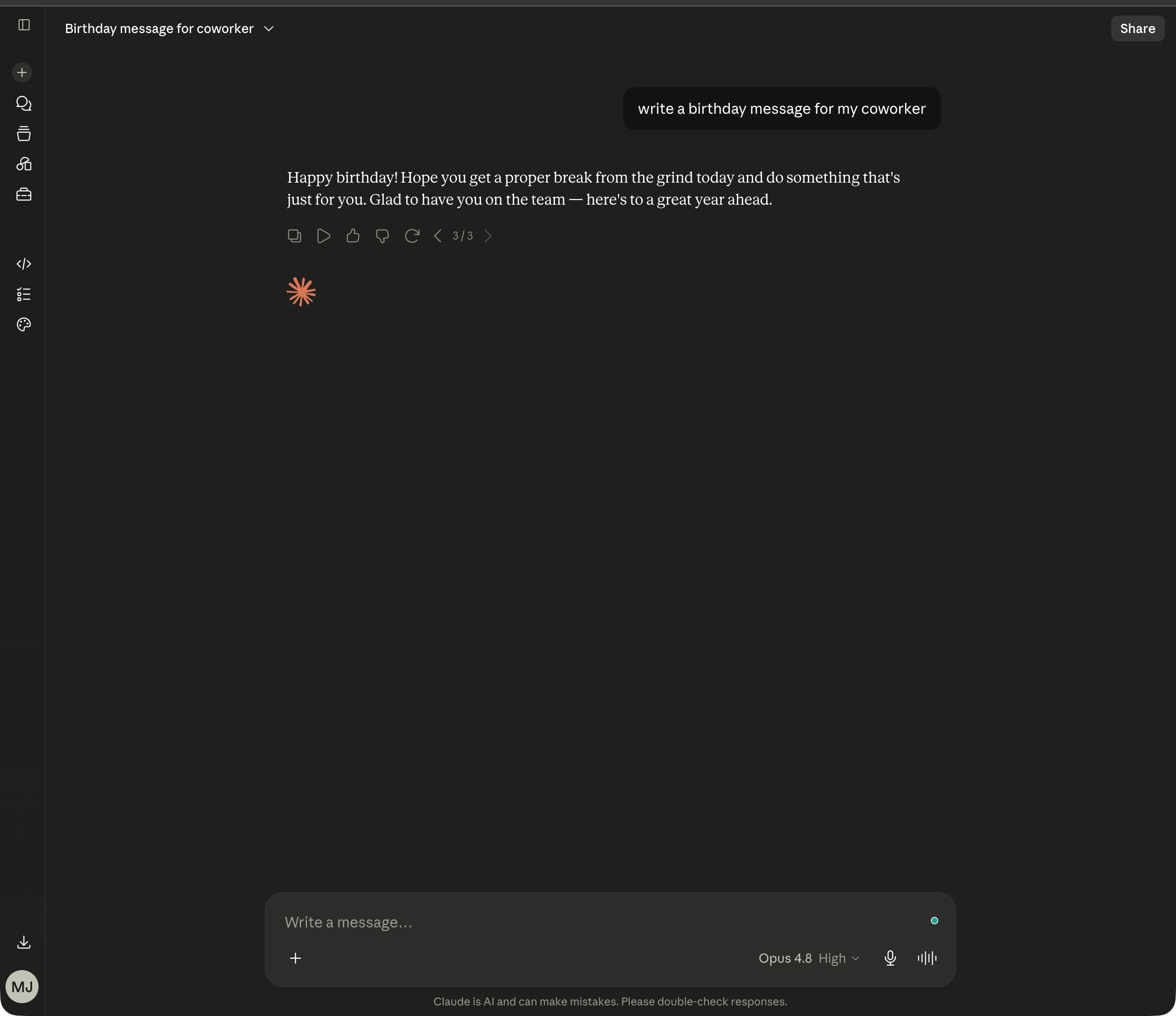
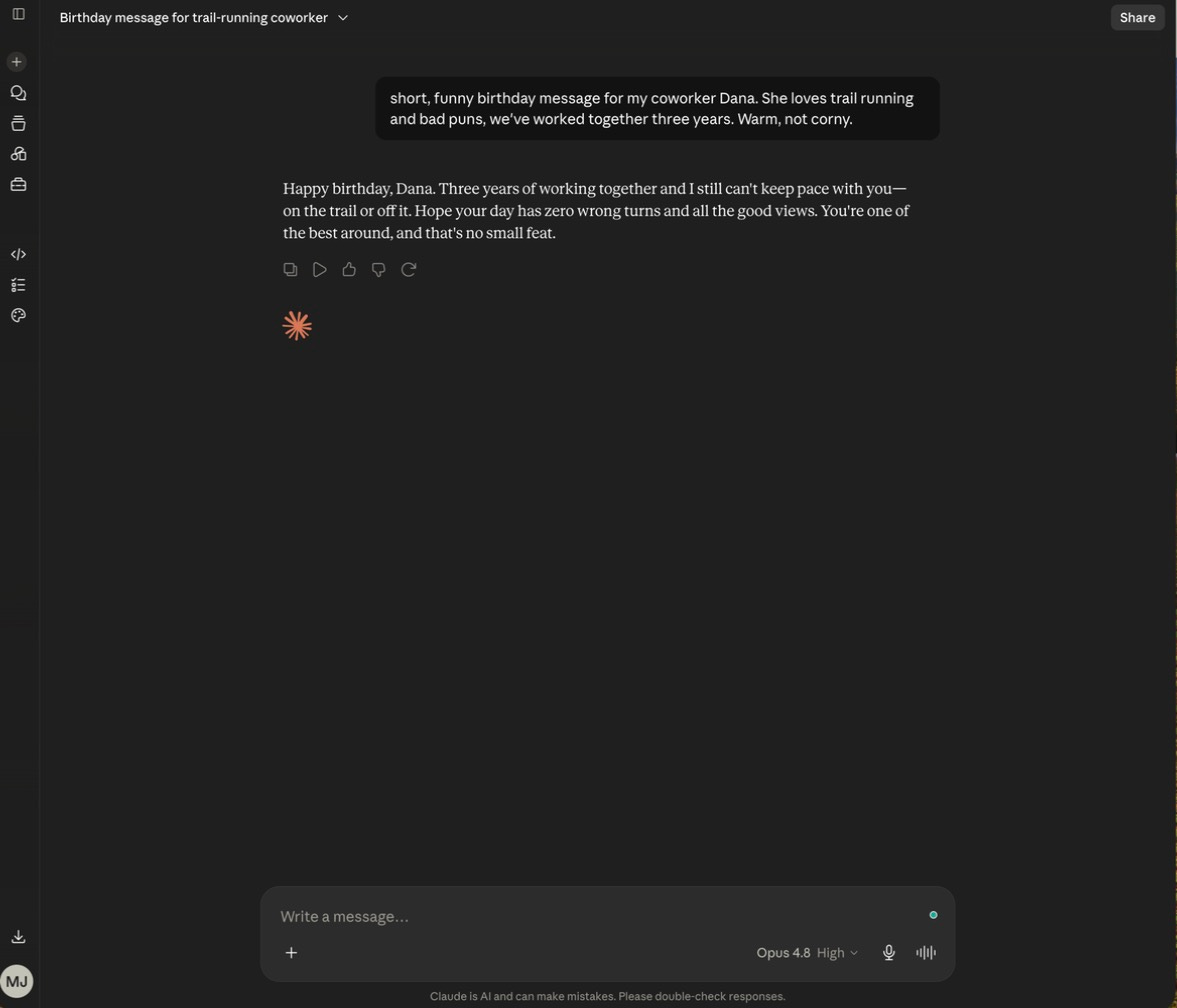
Lazy: write a birthday message for my coworker.Better: short, funny birthday message for my coworker Dana. She loves trail running and bad puns, we've worked together three years. Warm, not corny.The first gets you a fortune cookie. The second gets you something Dana screenshots. And notice the “better” one is one sentence. One sentence with the right details beats a paragraph without them.
Tell it the shape
Claude will hand you a wall of text when you wanted three bullets, just because you didn’t say. So say, up front, and skip the “now make it shorter” round trip:
Give me three versions: short, medium, detailed.
Keep it under 100 words.
Put it in a table.
Just the final answer, no preamble.
That last line is a quiet favorite. It kills the “Great question! Here are some thoughts...” warm-up and gives you the good stuff straight.
Show it an example
This one feels like cheating because it works so well. Claude is a freakishly good mimic. One sample teaches it more than a paragraph of description.
Here's an email whose tone I loved: [paste it]. Write a new one telling a client we're two days late, same voice.This is how you get it to sound like you instead of sounding like AI. Describing your voice in words is nearly impossible, so skip it. Show it and say “like this.” (That idea comes back big in step three.)
Hand it a role
Four words that reset the whole tone: “You’re a sharp copywriter.” “Act as a patient tutor.” “You’re my brutally honest editor.” A role is context for the voice, fast.
One prompt to steal
Here’s the whole step in a reusable shape. Five lines, not five hundred. Fill in what matters, delete what doesn’t:
I need you to [task]. It's for [who], and the situation is [one or two facts].

Make it [tone]. Format it as [bullets / email / table / one paragraph].

Here's what I'm working with: [paste your notes or an example].
That’s it. If you only ever learn this, you’re already past most people who’ve been clicking around for a year.
Swipe these (real tasks, already briefed)
Don’t just take my word for it. Here’s the template filled in for stuff you actually do. Copy one, swap the brackets for your details, send. Notice how each is a few lines, not a wall of text.
The weekly update you keep putting off:
Write my weekly status update for my manager. It's for a quick read,so keep it skimmable. Format: three bullets under "Done," three under "In progress," one line under "Need from you." Tone: confident, not boastful. Here's what happened this week: [dump your messy notes].The message you’re dreading:
Help me tell a client we're running two days late. It's for [client], we've had a good relationship, and the delay is on us. Make it honest and calm, not a pile of excuses. One short paragraph I can send as-is.Turning a meeting down without the awkwardness:
Write a polite decline to a meeting invite. It's for a colleague I like but the meeting isn't a good use of my time. Warm, brief, offer async instead. Two sentences.Notes into something useful:
Turn these messy notes into a clean summary with clear action items and who owns each one. Bullets, no fluff, flag anything that's unclear:[paste your notes].Explaining something to the right audience:
Explain [topic] to [who: my CEO / a new hire / my mom]. Match their level, skip the jargon, use one real-world analogy. Under 150 words.Five prompts, five real jobs off your plate. That’s step one working.
The fortune cookie. Ask for nothing, get nothing.
One sentence, the right details. Same Claude, completely different result.
Ask for the shape, get the shape.
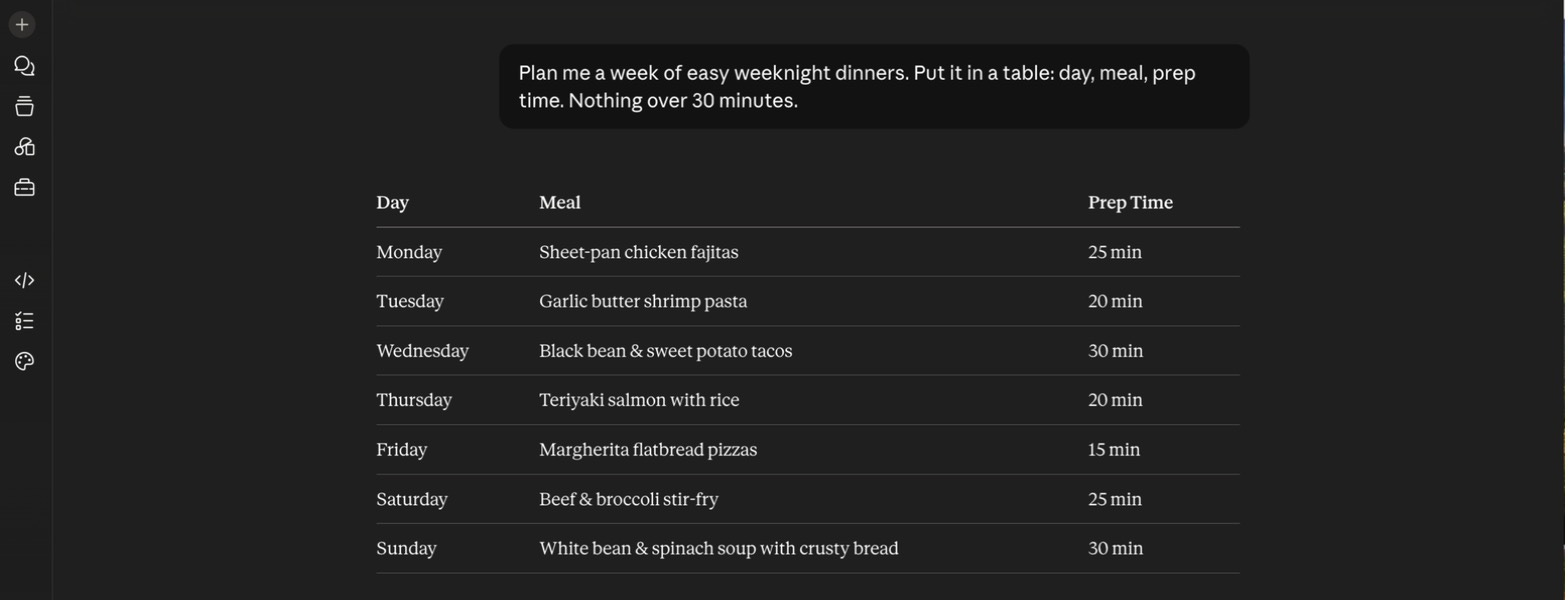
Step 2: When It’s Off, Nudge. Don’t Start Over.
Now the habit that separates the pros, and the one you already used in your homework.
When the answer isn’t quite right, almost everyone does the wrong thing: they delete it, rewrite the whole prompt, and start a fresh chat. Don’t. You just threw away everything Claude already learned about what you want.
Instead, talk to it like a person who’s 80% there. Just say what to fix.
Bookmark this nudge cheat-sheet. Almost every fix you’ll ever need is one of these:
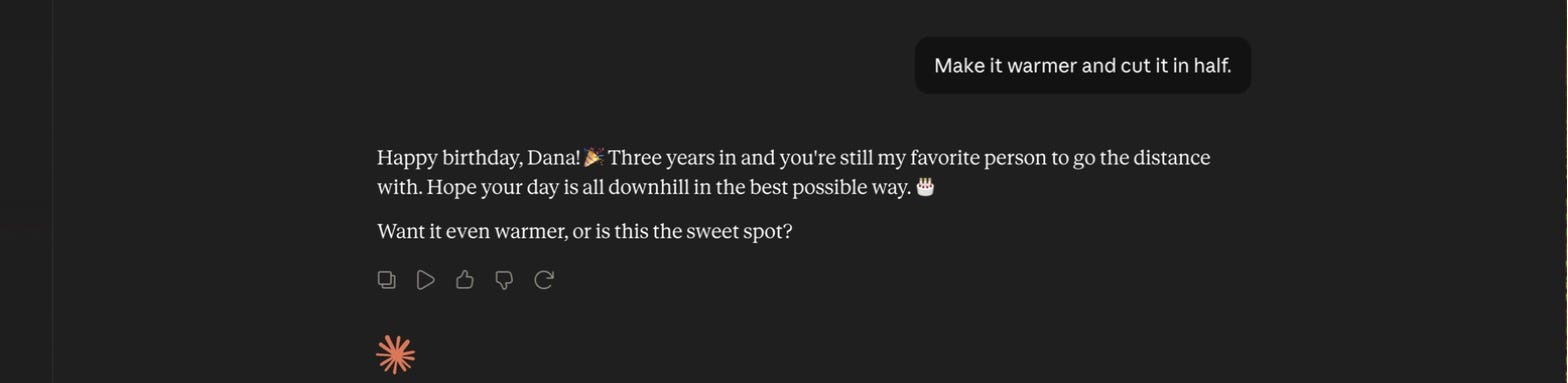
Length:    "Cut it in half."  "Make it one sentence."  "Give me the longer version." Tone:      "Warmer."  "More casual."  "Sound like a human, lose the corporate voice."

More:      "That one's perfect, do three more like it."  "Give me other angles."

Structure: "Keep the structure, swap the examples."  "Turn this into bullets."

Redirect:  "You misread me, I meant the client, not my boss."  "Closer, but skip the intro."

Stuck:     "What would make this better?"  "Give me three directions you could take this."
Each nudge keeps everything good and fixes the one thing that was off. You’re in a conversation now: the first answer is a draft you react to.
And here’s the honest part the title doesn’t tell you: you won’t always nail it on the first try, and you don’t need to. Step one gets you to 80% fast. Step two closes the last 20% in one or two lines. That loop, brief then steer, is how every heavy user actually works. If you send one prompt and walk away disappointed, you quit one nudge too early.
The nudge, not the restart. One line fixes what was off and keeps what worked.
Step 3: Teach It Once, So You Stop Repeating Yourself
Now the step almost nobody knows, and the one that compounds.
Pay attention to your own nudges for a day and you’ll notice something: you keep sending the same ones. “No exclamation points.” “Give me three options, not one.” “Shorter.” “Drop the corporate tone.” Those are your standing preferences, and right now you’re re-teaching them in every single chat like it’s day one.
You don’t have to. Claude can remember.
There are two layers to this, and you’ve already met the first:
Inside one chat, it remembers everything. Every nudge in a conversation sticks for the rest of that conversation. This is exactly why step two works, and why you keep one chat to one job.
Across chats, you can make a lesson permanent. Tell it once, “from now on, never use exclamation points in my writing,” and it carries that forward into new chats. The nudge stops being something you repeat and becomes something it just does. This is built in, it works on every plan including free, and an instruction like that applies starting with your very next conversation. If it’s not already on, you’ll find the switch in Settings → Capabilities.
That’s the shift. Every correction you make can be a one-time investment instead of a daily tax. Teach it your voice once by showing it a few things you’ve written. Teach it your format once. Each lesson makes the tool a little more yours, so tomorrow’s first try is already closer to right than today’s was.
Three memories worth setting today
Next time you’re in a chat, try teaching it one of these. Paste it in on its own, and from then on it stops being a nudge you repeat:
Remember that I prefer short, direct writing with no exclamation points.

Remember that whenever I ask for options, I always want three.

Remember that I'm a [your role] at [your company], so skip the basics when explaining work topics.
Set those three and half your daily nudges just disappear. Want to see what it’s holding onto? Settings → Capabilities → View and edit memory shows the full list in plain language, and you can edit or delete anything that’s gone stale. You’re never stuck with something it misremembered.
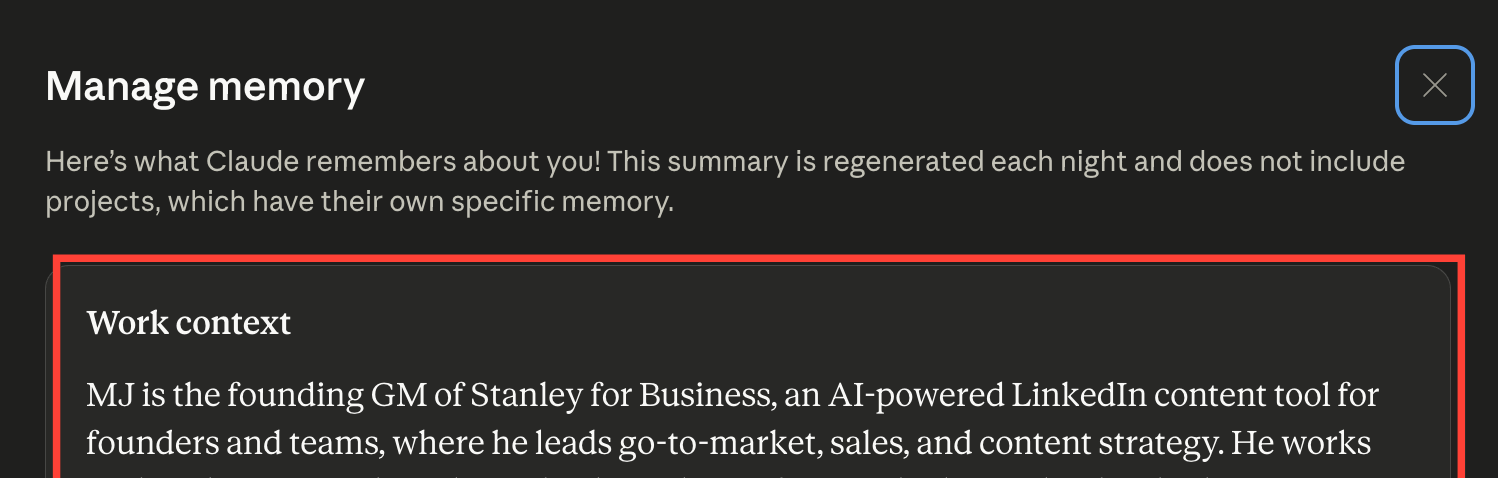
We’re keeping this at the concept level today, because doing it properly, with Projects, custom instructions, and memory that knows your whole world before you type a word, is the entire point of issue 4. For now, just know the door exists: when you catch yourself making the same nudge twice, that’s a lesson worth saving.
Teach it once. It sticks, so you stop repeating yourself.

A Couple of Gotchas
Small stuff, said out loud so it doesn’t bite you.
Relevant beats long. If a detail wouldn’t change the answer, leave it out. The skill is picking the details that matter.
One chat, one job. From last week, but it matters double here. Nudging a draft into shape? Keep it in that chat so the context stays clean. Start a new chat only for a genuinely different task.
It’ll ask if you let it. Not sure what to include? End with “ask me anything you need before you start.” Claude comes back with two or three questions, and answering them beats guessing.
Try It (Right Now)
Three minutes. One real task. You’re going to run all three steps on it.
Aim it. Take something you’d normally fire off in one lazy line. Rewrite it with the steal-this template: who it’s for, the situation, the tone, the shape. Send it. Notice how much closer it lands.
Steer it. However good that answer is, send one nudge. “Shorter.” “More casual.” “Two more like it.” Feel it sharpen.
Teach it. Whatever you just nudged, tell Claude to remember it. “From now on, keep my writing short and skip the exclamation points.” That’s the habit that pays you back all week.
Brief it, steer it, teach it. Do that and you’re the one driving.
Next Week
Issue 3: picking the right plan. Free, Pro, or Max, decoded without the upsell, so you buy exactly the Claude you’ll actually use and not a dollar more. If you’ve started bumping into the “you’re out of messages for now” wall, that issue has your name on it. And issue 4 is where memory goes from a neat trick to your default setup.
See you then.
P.S. What’s the same nudge you keep typing over and over? Reply and tell me. That repeated one is the exact thing you should be teaching it to remember, and I’m curious what everyone’s is.
Much love ✌️ MJ