
Stop Overpaying for Claude

🟢 Beginner. Builds on issues 1 and 2. If you’ve started hitting the “you’re out of messages for now” wall, this one’s for you.
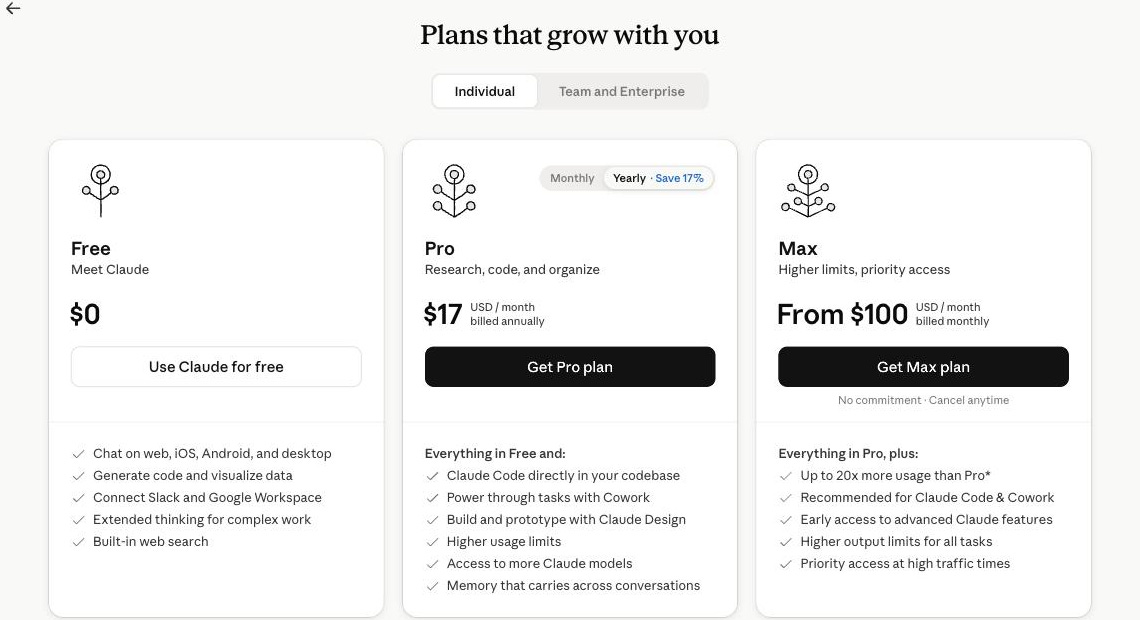
Free, Pro, Max. The whole decision on one screen.
You signed up free back in issue 1. You got good at asking in issue 2. Now let’s make sure you’re on the right plan, so you’re not overpaying and not stuck behind a wall you’ve already outgrown.
This one works differently from the last two. It’s a guided tour of the actual screens inside Claude, and I want you clicking along with me the whole way. Open Claude in a second tab right now. Every time I say “click here,” go do it on your own account. Ten minutes from now you’ll have sized up your real usage, seen every plan with your own eyes, and made the call with data instead of a guess.
The answer up front, because I won’t bury it: most people should ride Free until it hurts, then jump straight to Pro. Almost nobody needs Max yet. The clicks below are how you find out which of those is you.
Last Week’s Homework
Last week you ran all three steps on one real task: aim it, steer it, teach it.
If you did that a few times, you already have the one thing that decides this whole question: a feel for how often you actually reach for Claude, and how heavy your asks are. That beats any chart I could draw you. We’re just going to go confirm it with the numbers on your own screen.
Open the One Screen This Whole Issue Lives On
Everything today happens in one place, so let’s get you there before anything else.
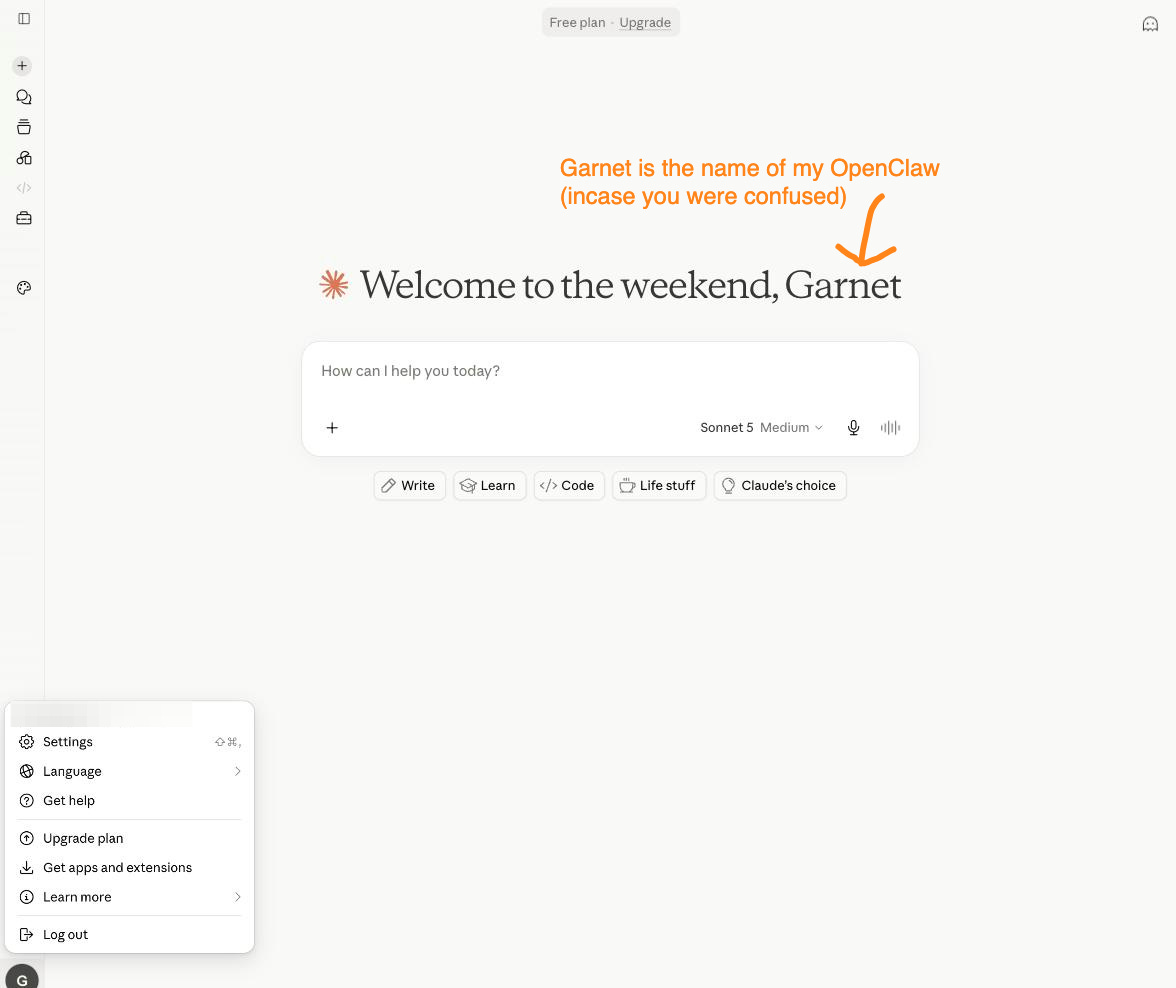
Look at the bottom-left corner of Claude. Your name and a small icon sit there. Click it, then click Settings, then find Plan (a few accounts label it Billing). That’s the control room. Upgrade, downgrade, switch from monthly to yearly, it all happens on this one screen. Leave it open, we’ll keep coming back to it.
Bottom-left corner. This little menu is the door to everything about your plan.
Find Your Meter (Free Has a Catch)
Before you look at a single price, get honest about how hard you actually lean on Claude. And here’s the catch nobody warns you about: on the free plan, there’s no usage meter to open. Pop into Settings and the sidebar reads General, Account, Privacy, Billing, Capabilities, Connectors, Claude Code. Go looking for “Usage.” It isn’t there.
So on free, your meter is the wall. The only reading you get is the moment Claude stops mid-work and tells you you’re out for a few hours, with your reset time and an Upgrade button sitting right there. How often that message shows up is the whole signal. Once a month? You’re fine. Every couple of days? You’ve outgrown free.
That little gray box is the most useful thing in this whole issue. It’s Claude telling you you’ve hit your tier’s ceiling, and it’s the only buy signal you need. Not a LinkedIn post, not FOMO. The wall.
Quick word on how the limit works, since it trips everyone up. Claude doesn’t give you a fixed number of messages a day. Your usage refills on a rolling window of a few hours, and the paid plans add a weekly ceiling behind that. Three things drain it fastest: long back-and-forths, leaning on the big Opus model instead of everyday Sonnet, and heavy attachments like a 40-page PDF. That’s why nobody can promise “you get 45 messages.” It genuinely depends.
One perk worth knowing now: the day you move to Pro or Max, you unlock a real Settings → Usage page, an actual dashboard with bars and a live reset clock. On free you fly by the wall. On paid you get the gauge.
Walk the Three Plans With Me
Back to the plan screen you left open. You’re looking at three cards. Let’s read each one together and I’ll tell you who it’s actually for.
Free — $0 (the card you’re on right now)
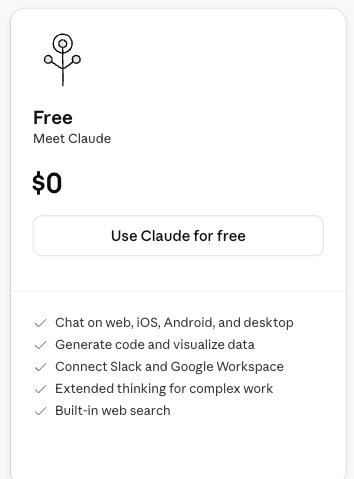
Look at the Free card. It’s not a crippled demo, which is the whole reason issues 1 and 2 never asked you to pay.
What it gives you: the everyday Sonnet model, chat on web, desktop, and phone, file uploads, image reading, web search, extended thinking for the hard questions, memory across chats, and connectors. Most of what made you go “oh, neat” so far.
Where it stops: you run out of room the fastest, there’s no Opus (the big-brain model), and no hand-off features (Cowork and Claude Code) that the back half of this series is built on. When servers are slammed, paid users go first.
Stay here if you use Claude a few times a day, the wall rarely shows up, and nothing above feels like something you’re missing. Don’t upgrade out of guilt.
Free isn’t a stripped-down demo. Real work lives here.
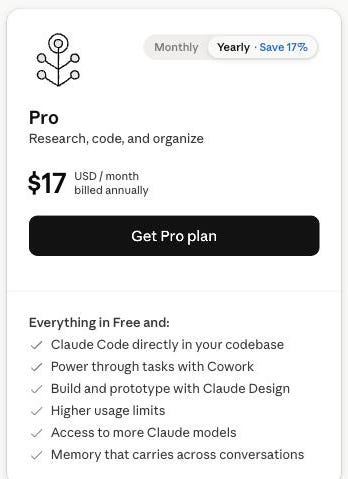
Pro — $20/month (click Upgrade to see it)
Click the Upgrade button under Pro. Don’t buy anything yet. Just look at what the screen lists, so the $20 stops being abstract.
What unlocks: a lot more room before the wall, plus the good stuff. The headline is Opus, the model you call for heavy lifting. Then unlimited Projects (issue 4’s whole subject), Research for those read-fifty-sources briefings, and the two delegation features the series leans on later, Cowork and Claude Code. Priority at busy times rides along.
Jump here when the wall shows up more than once or twice a week, or you want any single one of Opus, Projects, Cowork, or Code. One of them is reason enough.
The catch is that it’s $20 a month. That’s it. Use Claude for real work even a few times a week and it pays for itself the first hour it saves you.
What the $20 buys: Claude Code, Cowork, more models, and a lot more room.
Max — $100/month (5x) or $200/month (20x)
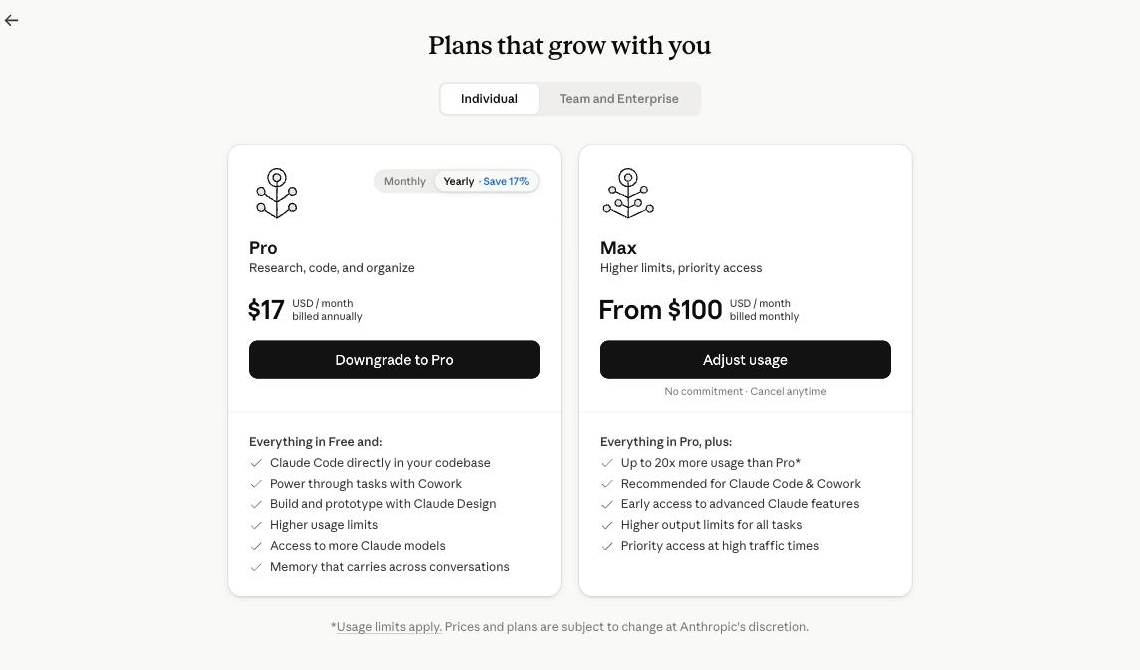
Scroll to the Max card and you’ll see two prices. 5x is five times Pro’s usage for $100. 20x is twenty times for $200. Same features as Pro, plus early access to new stuff and front-of-line priority. Max also splits its ceiling into two weekly limits, one across all models and one just for Sonnet, so heavy users get a saner rhythm.
Max is really two plans. Start at 5x. Only climb to 20x if you cap that out.

For the record, I’m on Max 5x, the $100 one, and I regularly max it out. That’s not a flex, it’s the exact point I’m making: I know it’s the right plan for me because I keep hitting its ceiling. If I coasted along never touching the limit, I’d be lighting $100 on fire every month and I’d drop to Pro tomorrow. The plan you should be on is the one whose wall you actually bump into.
The honest part: if you’re reading a beginner newsletter, this is almost certainly not you yet. Buy Max only after Pro itself starts making you wait, because that’s the only proof you’d use what you’re paying for. And you’ll know. It’s very obvious when Pro isn’t enough.
The Two Clicks That Save You Money
Two more actions on that same screen, and both put money back in your pocket.
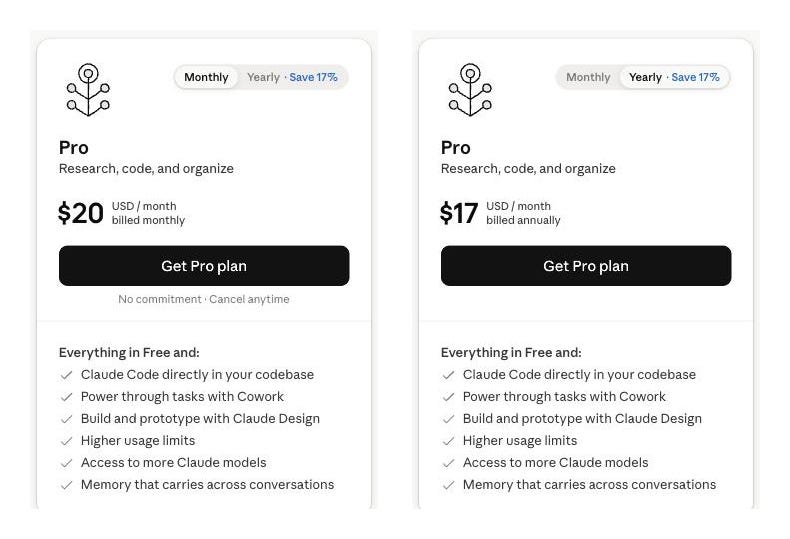
Flip to annual. Find the monthly/yearly toggle and click yearly. Watch Pro drop from $20 to about $17 a month. That’s roughly $40 a year for one click. Do it after your first full month on Pro, once you’re sure you’ll keep it, not before.
One toggle. $20 a month becomes $17. About $40 back in your pocket a year.
Know where the exit is. On the same manage screen there’s a downgrade and cancel option. Go find it now so you know it’s there. Plans aren’t a marriage. Try Pro for a month, and if the wall never comes back and you never touched Opus or Cowork, click right here and drop to Free.
The exit is right here. Plans aren’t a marriage.
Still Can’t Decide? Make Claude Decide
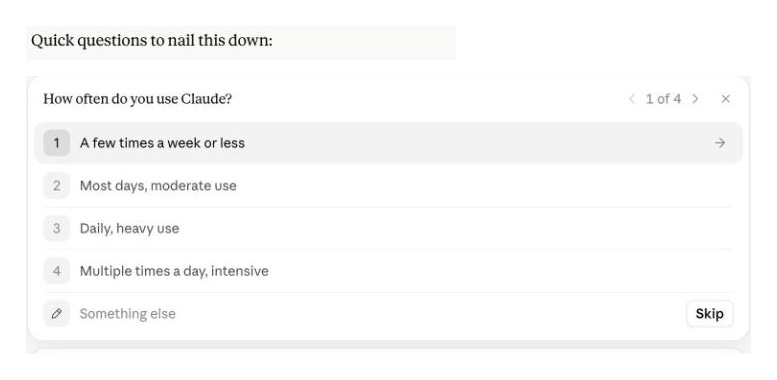
You’ve seen every screen now. If you’re still on the fence, hand the decision to Claude. Paste this into any chat, Free plan included:
Help me pick a Claude plan. Ask me 4 or 5 quick questions about howoften I use you, whether I've been hitting message limits, and whether
I need the smartest model or the hand-off features. Then recommend
Free, Pro, or Max and tell me in one line why. Don't upsell me.
It interviews you, then gives a straight answer based on your real habits. It’s got no commission to earn, so it’s a weirdly honest place to ask.
Hand it the decision. It interviews you about your real habits, then makes the call.
So, Which One Is You?
Here’s the whole decision in three lines, in order. Stop at the first that fits:
Wall rarely shows up, don’t need Opus or the hand-off features? Stay Free.
Hitting the wall weekly, or you want Opus / Projects / Cowork / Code? Get Pro. This is most of you.
Blowing through Pro and feeling it in your work? Get Max, 5x first. Only touch 20x if 5x also runs out.
You climb one rung at a time, and each rung waits for the last one to hurt before you step up. That’s the trick to never overpaying. Let the wall tell you when to move.
A Couple of Gotchas
Paying more doesn’t make you better at this. A bigger plan buys room and a couple of models. It doesn’t do the aiming and steering from issue 2 for you. A sharp prompt on Free beats a lazy one on Max every time.
Max is two plans, not one. If you ever go there, start at 5x for $100. The jump to 20x is a real jump in price, and it’s only worth it once 5x itself isn’t enough.
Try It (Right Now)
If you clicked along, you’re basically done. Quick recap so it sticks:
Plan screen open? Bottom-left → Settings → Plan. That’s your control room.
Meter checked? On free, that’s one honest question: how often does the wall show up? Once a month is fine. Every couple of days means you’ve outgrown it. (On Pro or Max, just glance at Settings → Usage.)
Make the call. Free, Pro, or Max. If the honest answer is “Free’s fine,” that’s a win, you just kept your money. If it’s Pro, you now know exactly why.
The goal was never to get you to pay. It was to make sure that whatever you land on, you can say out loud why. Do that and you’ve beaten most people, who either overpay out of FOMO or sit on Free wondering why everyone else gets more out of it.
Next Week
Issue 4 is where the free stuff starts paying off big. We give Claude a real memory with Projects, so it knows your role, your goals, and your voice before you type a single word. It’s the difference between briefing a stranger every morning and walking in on a teammate who already gets you. Works on every plan, and it makes every prompt after it shorter.
See you then.
P.S. Are you Free, Pro, or Max right now, and does it feel like the right call? Hit reply and tell me. I’m genuinely curious where most of you land, and if a bunch of you are overpaying I want to say so out loud.
Much love ✌️ MJ